
Working with an Uploaded Plugin
The information on this page relates to the new upgraded interface of the IConduct platform. To view information about the Classic version of the user interface, follow this link.
Once you have uploaded the plugin, you can view its details as well as edit its timeout value and update the assembly file.
To Edit an Existing Plugin:
- Select Plugins in the Main Menu.
- In the Work area, click on the name of the plugin to edit. The Plugin page opens.
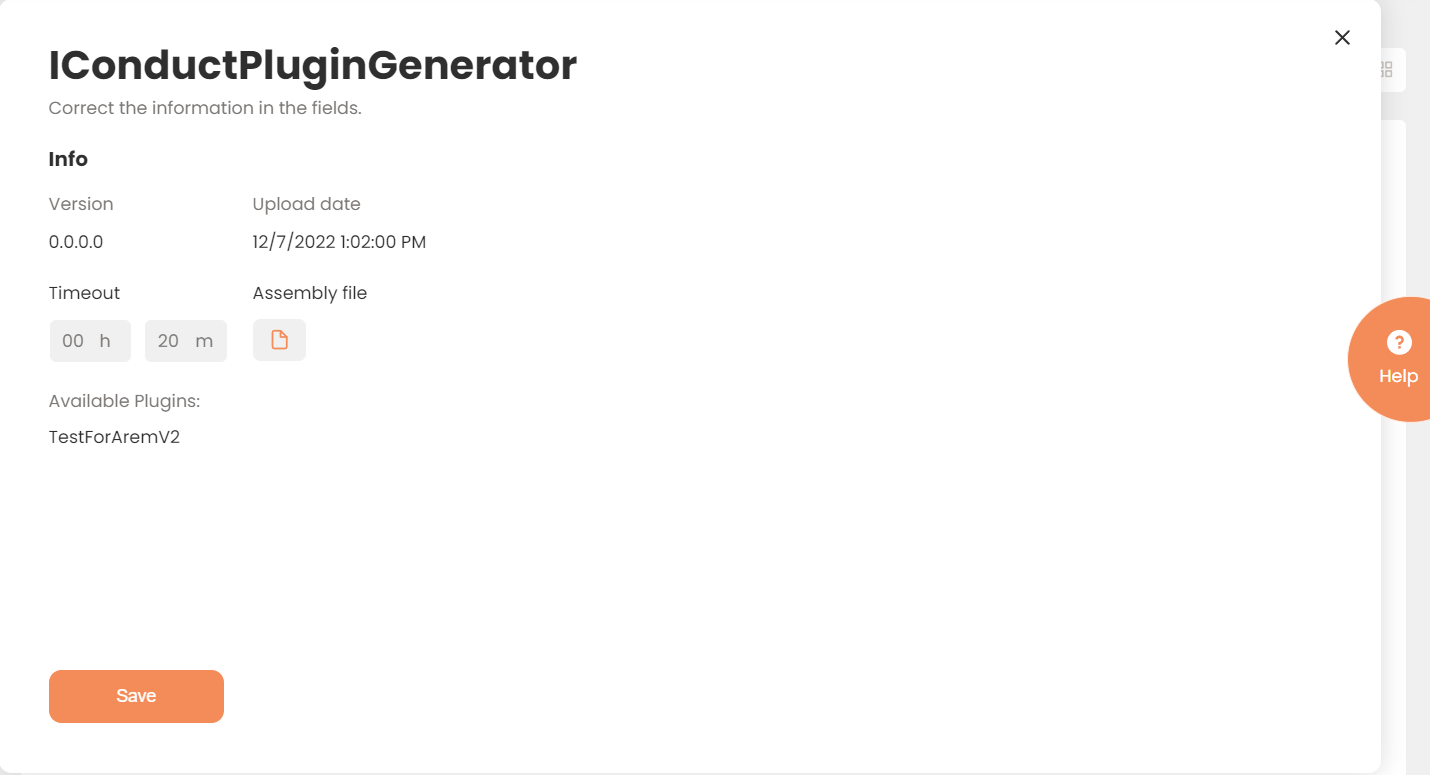
A New Plugin Page
| Field | Description |
|---|---|
| Assembly Name | The Plugin Assembly name. |
| Version | The Plugin version. |
| Upload Date | The date this plugin was uploaded to the IConduct platform. |
| Timeout | The length of time (in milliseconds) the IConduct platform waits for a Plugin execution before returning a timeout error. Set the time value to stop the system from execution attempts. |
| Assembly File | Allows you to Choose File of the new version of this plugin assembly. |
| Available Plugins | Enumerates the plugins available in the assembly file. |
- Press Save once done.